Outlook Mac Design System

2022 - Present

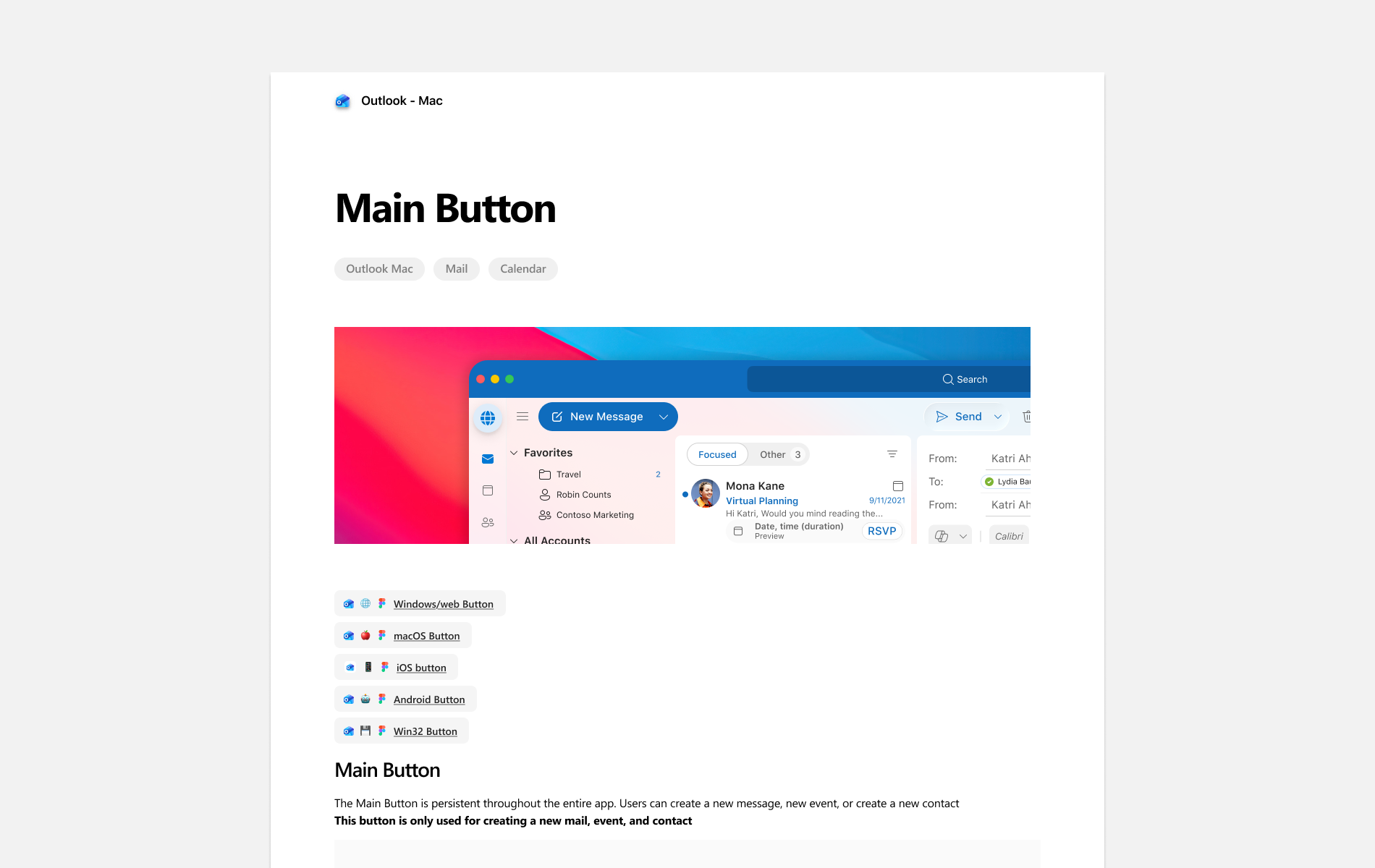
Outlook Mac design system documentation for the main button, with product examples and platform component links

About the project

Modernizing the foundation behind Outlook for Mac.

I led the modernization and ongoing management of Outlook Mac’s primary design system, used across the product by design and engineering teams supporting more than 25M monthly active users.

My goal was to make Outlook feel more consistent, improve accessibility, and give designers a faster way to build high-fidelity experiences that map more closely to production.

The challenge

When I took ownership, the Mac design system had fallen behind both Microsoft’s Fluent updates and Apple’s latest platform patterns. Colors, typography, and components needed to be refreshed, and the outdated color system was creating accessibility issues across the product.

There was also an adoption problem. Designers did not always know which components to use or how the system was intended to work, leading to inconsistencies between designs and the final product. I treated these as a foundation problem, not isolated UI issues.
Starting with accessibility

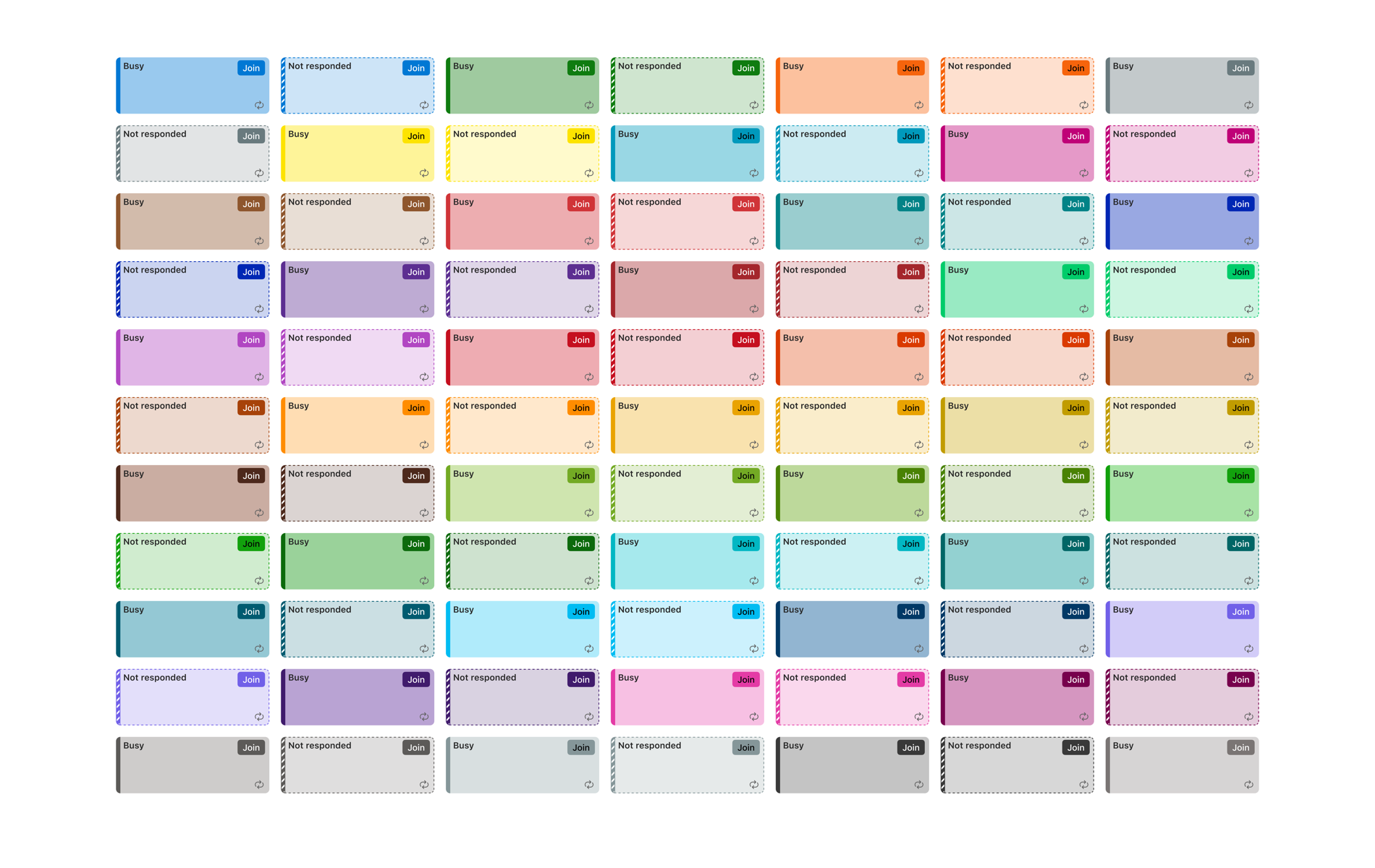
Calendar had accumulated the highest number of accessibility issues, so color was the first major area I addressed. I audited its palette against WCAG contrast requirements, then selectively mapped failing tokens to Fluent 2 colors rather than replacing every color outright.

I expanded the work to neutrals and Outlook’s core theme colors, validating the system in light and dark modes. After rollout, feedback showed that some passing colors felt too muted. I revisited the palette and found alternatives that remained accessible while feeling closer to the original experience.

Outlook calendar color system across light and dark states

Creating a shared source of truth

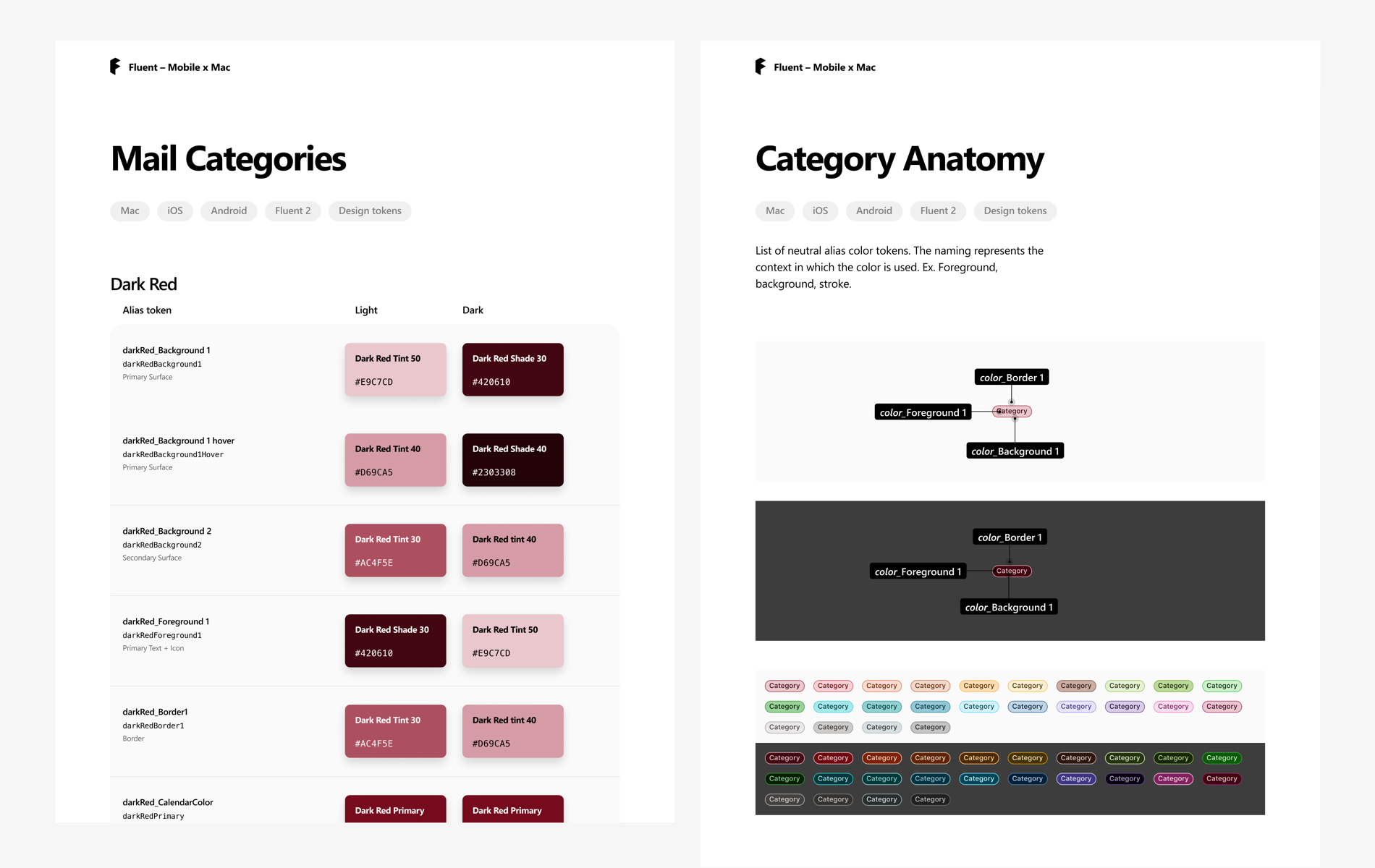
When Figma introduced Variables, I used them to create Outlook Mac’s first variable-based token system. I mapped Figma tokens directly to the values used by engineering, partnering with a Mac Calendar engineer to document each token and its corresponding value.

This created much stronger design-to-code parity: a token change could propagate through the system instead of requiring manual screen-by-screen updates. We reviewed implementation builds together and kept validating color choices throughout the rollout.

Outlook Mac design system color tokens and component anatomy

Modernizing the component library

With the foundations in place, I updated and maintained more than 100 components across Message List, Calendar, Buttons, Compose, Typography, Copilot experiences, and Liquid Glass patterns.

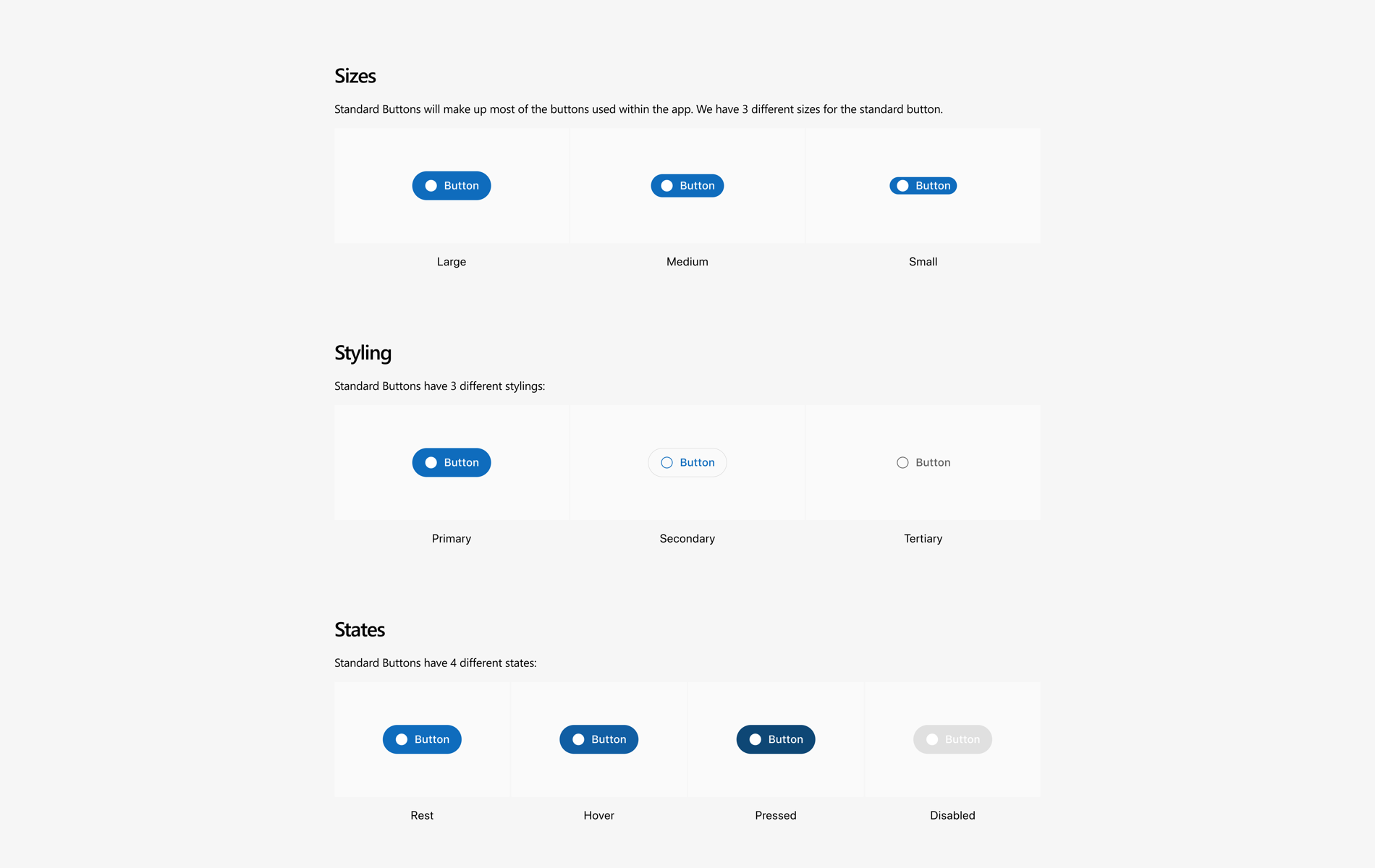
One early example was Outlook’s primary button, which had remained largely unchanged for years. As Apple introduced a new visual language, I refreshed its radius and styling to better align with the macOS experience. Owning both Copilot feature work and the system also meant I could move successful product patterns into reusable components for the rest of the team.

Outlook Mac button sizes, styles, and states

Scaling Outlook’s new visual language

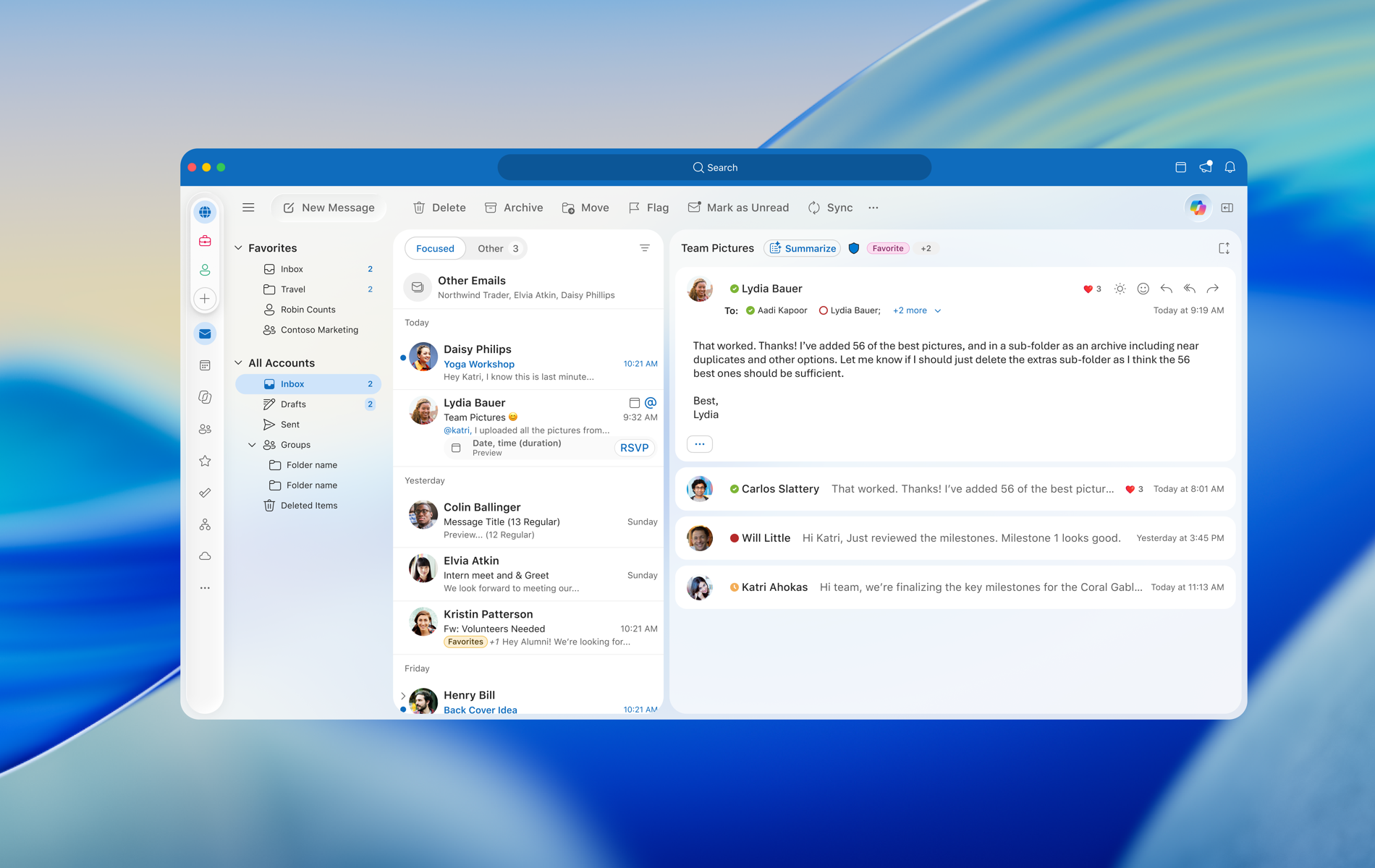
As Outlook began adapting to Apple’s Liquid Glass direction, I helped define reusable patterns across seven core surfaces: Inbox, Reading Pane, Compose, Copilot DAB, Chat Sheet, Calendar Grid, and Search.

Rather than designing each area independently, I focused on patterns that could scale across existing Outlook experiences and future Copilot features. This moved the Mac toolkit from roughly 50% to 90% completion while establishing a stronger base for future modernization work.

Outlook Mac product surfaces and component patterns

Helping designers use the system

Maintaining the library was only part of the work. I created documentation and usage guidelines, reviewed new component contributions, and hosted office hours where designers could ask questions about the system.

That turned the library from something people had to figure out on their own into a shared tool the team could rely on. Designers could create high-fidelity product work faster while staying aligned with the rest of Outlook.

Outcome

A stronger foundation for the product and the team.

50%reduction in related bug reports
50% → 90%toolkit completion
100+maintained components
25Mmonthly active users supported

The work created clearer alignment between Figma and engineering, enabled faster high-fidelity iteration, and helped spread a variable-based approach to other teams in the studio.

What I’m most proud of

Improving the foundation created value for nearly everyone who interacts with it.

Designers get a system that helps them move faster. Engineers get clearer alignment with design. Customers get a more consistent and accessible Outlook experience. It is one of the projects where strengthening the foundation made high-quality work easier across the product.